

Create a custom channel group in GA4 with an “AI assistants” channel that matches the source against a list of AI domains. Place it above Referral so those sessions aren’t counted as ordinary referrals. It takes about ten minutes and applies to your historical data too.
Where AI traffic comes from
When someone clicks a link inside an AI answer, the visit usually arrives with the assistant’s domain as the source. ChatGPT also adds utm_source=chatgpt.com to many of the links it shows. Common sources include:
| Assistant | Source you’ll usually see |
|---|---|
| ChatGPT | chatgpt.com (older visits may show chat.openai.com) |
| Perplexity | perplexity.ai |
| Gemini | gemini.google.com |
| Microsoft Copilot | copilot.microsoft.com |
| Claude | claude.ai |
Some visits arrive with no referrer at all, especially from mobile apps, and land in Direct. So treat this channel as a minimum, not a full count.
Set up the channel
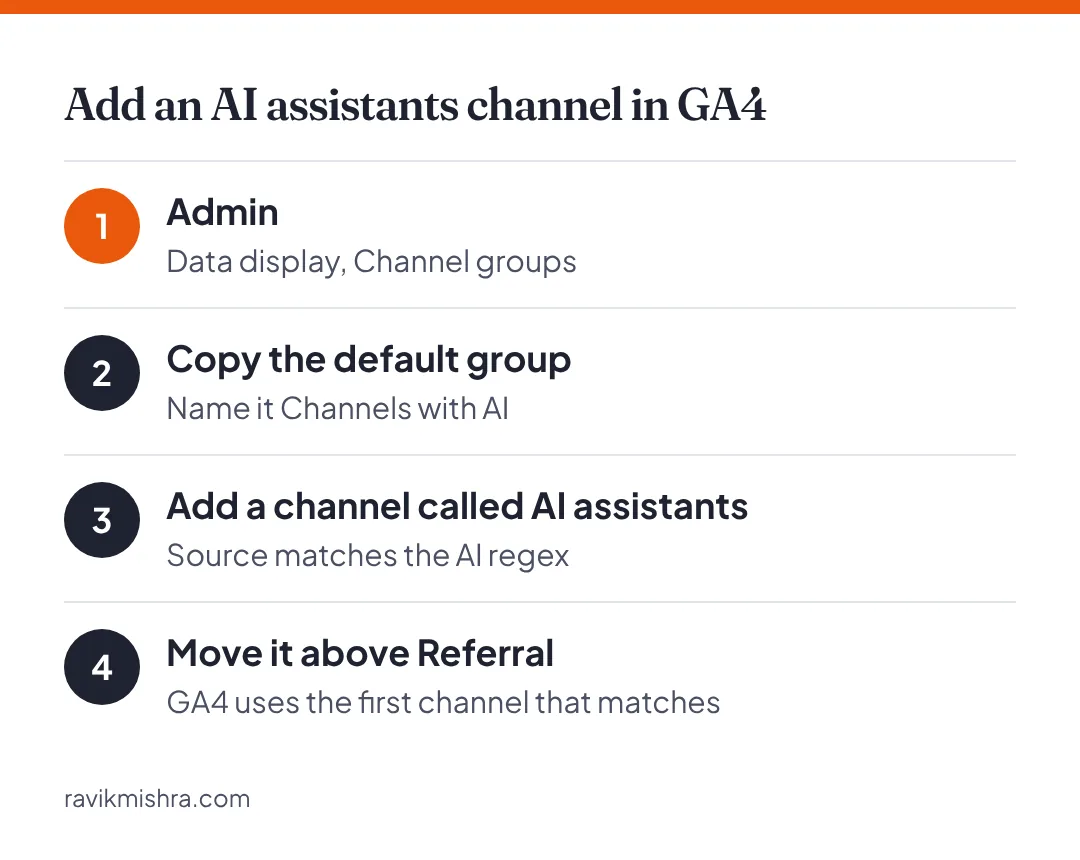
- In GA4, go to Admin, then Data display, then Channel groups.
- Copy the default channel group and give it a name like “Channels with AI”.
- Add a new channel called AI assistants.
- Set the condition: Source matches regex:
.*(chatgpt|openai|perplexity|gemini\.google|copilot|claude\.ai|you\.com).*- Save, then drag AI assistants above Referral in the list. Order matters: GA4 assigns each session to the first channel it matches.
- Use the new channel group in your Acquisition reports.
What to look at
- Landing pages. Which pages receive AI traffic? These are the passages engines are citing. Protect them, keep them updated, and build related pages.
- Engagement and conversions. Compare AI visitors with organic search visitors. They’ve often read a summary already, so their behaviour can differ.
- Trend. Look month over month rather than day to day. Volumes are small and noisy for most sites.
Remember what this misses
Referral traffic only counts clicks. A lot of the value of AI visibility comes from being named in the answer, after which people search for you directly. Watch branded search impressions in Search Console alongside this channel, and track mentions directly with a weekly prompt log.
Frequently asked questions
Does the GA4 channel apply to past data?
Yes. Custom channel groups are applied to your historical data in reports.
Why does some AI traffic show as Direct?
Some visits, especially from mobile apps, arrive without a referrer, so GA4 can’t tell where they came from. Treat the AI channel as a minimum.
Which sources should the AI channel include?
Common ones are chatgpt.com, perplexity.ai, gemini.google.com, copilot.microsoft.com and claude.ai. Review your referral list every few months for new ones.